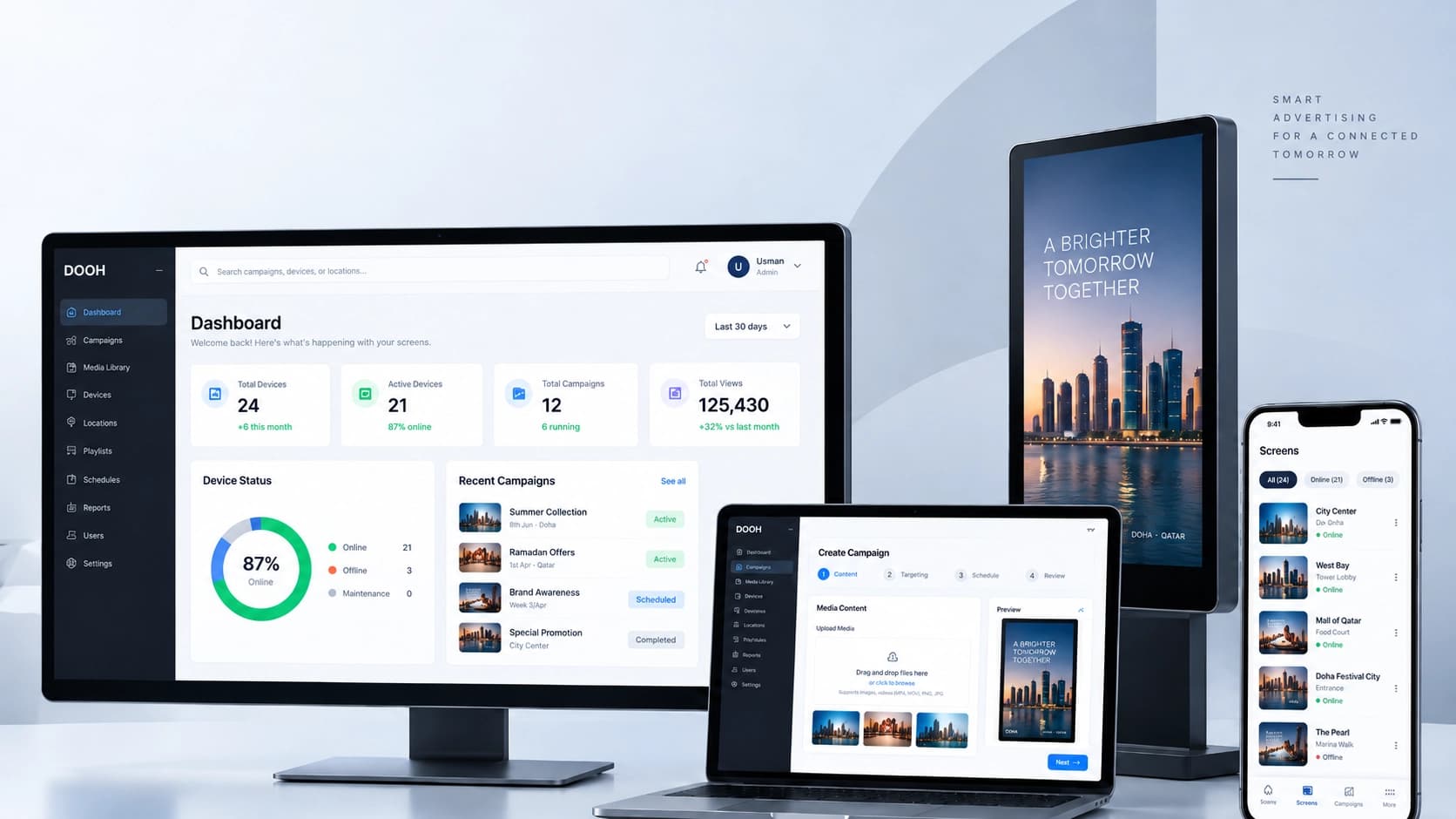
DOOH Advertising Network connects a web administration platform with Android advertising tablets placed in retail and service locations. Operators can register screens, organize shops, upload and publish image or video campaigns, and assign content to specific devices. Each tablet downloads its assigned playlist and plays media locally, helping advertising continue even when connectivity is interrupted.
My contribution
What I owned and delivered
At MT Solutions, I work on the architecture and implementation of the DOOH advertising platform, covering the Laravel backend, Filament administration, REST APIs, and Flutter-based Android kiosk player.
Built QR-based tablet registration, activation, and device-management workflows linked to the administration portal.
Connected campaign uploads, publishing, and per-device targeting to full-screen image and video playback.
Implemented local media caching, playlist synchronization, and offline playback behavior for Android kiosks.
Delivery & collaboration
The end-to-end proof of concept was validated on a physical Android tablet. Additional fleet-scale capabilities belong to an ongoing implementation and are not presented here as released features.
01 — The Challenge
What needed solving
Managing advertising across multiple physical screens becomes difficult when every content change requires someone to visit a location. The system also has to handle device onboarding, mixed image and video formats, restarts, and unreliable connections without leaving displays idle.
02 — The Approach
The engineering approach
I developed a Laravel API and Filament administration workflow for device pairing, shop and area records, campaign publishing, and per-device assignments. A Flutter Android player securely pairs through QR activation, downloads assigned media, and runs a looping full-screen playlist with locally cached content. The complete pairing-to-playback flow was tested on a real tablet.
System overview2026
DOOH Network
01CampaignsFilament admin
02Delivery APILaravel
03Screen playerFlutter · Android
QR pairing · Campaign delivery · Offline playback
03 — What it does
Key features
01
QR Device Pairing
Activate and associate Android advertising tablets with the central administration portal using a QR-based onboarding flow.
02
Campaign Management
Upload, manage, publish, and unpublish image or video campaigns from one web administration panel.
03
Per-Device Assignments
Assign campaign content to selected screens, with a shared API serving the appropriate playlist to each device.
04
Offline Media Cache
Download media before playback and retain the last available playlist so screens can continue operating through connectivity interruptions.
05
Android Kiosk Player
A Flutter-based full-screen player that rotates images and videos, supports device restart behavior, and keeps advertising content in view.
06
Shops & Device Organization
Manage areas, shops, and registered screens with activation status and last-seen information in the admin interface.
04 — Built with
Technologies in my scope
FlutterMobile framework
Dart
AndroidPlatform
Laravel 12
Filament 4
MySQLDatabase
Laravel Sanctum
REST APIAPI layer
Local Media Caching
Progress to date
A validated foundation for centrally managed, offline-capable advertising screens
Validated the full QR pairing, campaign assignment, and playback flow on a physical Android tablet
Enabled centralized distribution of image and video campaigns to selected devices
Supported continued playback through temporary network loss using locally cached media
Brought tablet registration, locations, campaigns, and delivery APIs into one coordinated platform